ReadyMadeApps
How to Start a SaaS Business Without Developers: No-Code, AI and Ready-Made Paths
A practical guide for nontechnical founders comparing no-code, AI-assisted development, SaaS boilerplates and ready-made apps, plus a 30-day validation plan before you overbuild.
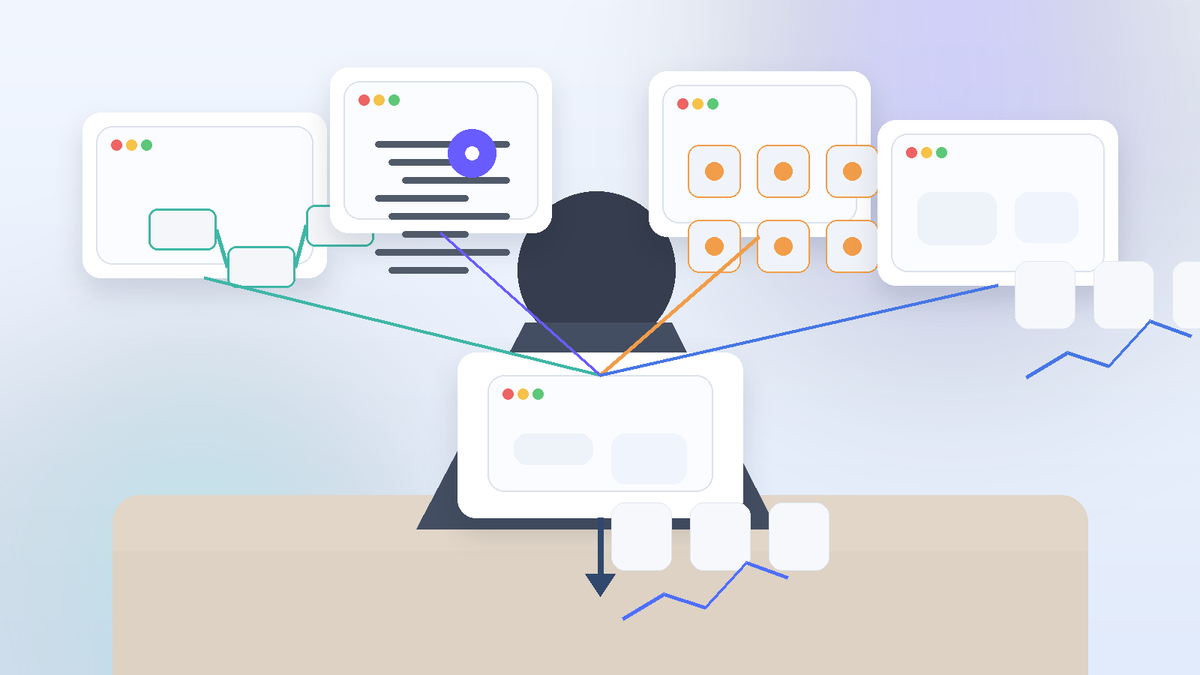
If you want to start a SaaS business without developers, the practical route is not to pretend the technical work disappears. It is to choose a build path that reduces the coding burden while you stay responsible for the customer problem, product decisions, testing, security, support and customer acquisition. For many nontechnical founders, that means no-code, AI-assisted development, a SaaS boilerplate, or a ready-made app foundation.
What This Means for You
You do not need to hire a full engineering team before you can test a software idea. You do need a much clearer plan than “ask AI to build an app.” The first objective is to prove that a specific customer has a painful problem and is willing to use or pay for a solution. Only then should you decide how much software you actually need.
This distinction matters because a SaaS product is an ongoing service, not simply a website with a login screen. Users expect the core workflow to work reliably, their data to be handled responsibly, billing to behave correctly, and problems to be fixed. Stripe's SaaS startup guide treats product development, pricing, marketing and customer success as connected parts of the business. Shopify's current SaaS overview likewise describes SaaS as cloud-hosted software sold through recurring access models and emphasizes the operating metrics behind that model.

How to Start a SaaS Business Without Developers: Choose the Right Build Path
There are four realistic low-developer paths, plus a fifth option when the product is too complex to force into a beginner tool. The right choice depends on the workflow you are building, how much technical ownership you can handle, how quickly you need customer feedback, and whether the product has unusual security, performance or integration requirements.
| Build path | What you start with | Technical burden | Best fit | Main risk to manage |
|---|---|---|---|---|
| No-code builder | Visual editor, database and workflows | Low to moderate | Workflow apps, portals, directories, dashboards and simple SaaS tools | Platform limits, data structure and vendor dependence |
| AI-assisted development | Generated code or an AI-built application foundation | Moderate | Founders who need more customization and can test carefully | Owning code you cannot confidently debug, secure or maintain |
| SaaS boilerplate | Prebuilt authentication, billing, account and dashboard structure | Moderate | Products where the differentiator is the workflow, not basic infrastructure | Deployment, dependency updates and ongoing code maintenance |
| Ready-made app | A functional software starter asset that can be customized or rebranded | Low to moderate | Founders who want to skip the blank-page build and test positioning faster | Assuming the asset already has customers, revenue or product-market fit |
| Specialist developer | Custom architecture and engineering | High management burden | Regulated, technically novel or integration-heavy products | Spending heavily before demand is validated |
No-code deserves particular attention because current visual development platforms can handle interfaces, databases and workflows without requiring traditional programming. Bubble, for example, describes modern no-code as visual development where the builder controls app logic through editors and workflows rather than source code. Its 2026 guidance also combines AI generation with visual editing. That is useful evidence that the entry barrier is lower, but it is still vendor-specific guidance, not proof that every product belongs on no-code. Review Bubble's explanation of no-code development if you want to understand that model in more detail.
AI-assisted coding can offer more flexibility, but it introduces a different problem: generated software can become difficult to maintain when the owner does not understand its architecture. Treat AI as an accelerator, not as a substitute for testing, security review, backups and technical judgment. If the application handles sensitive data, complex permissions, financial logic or regulated workflows, professional review may be the cheaper decision than discovering a serious flaw after launch.
Start With the Problem, Not the Build Tool
A common beginner mistake is choosing Bubble, Replit, a boilerplate or an AI agent before deciding what problem the SaaS should solve. The build tool should be downstream of customer evidence.
Write the business idea as one sentence: “For [specific user], this product makes [painful recurring job] faster, cheaper or less error-prone by [clear mechanism].” If that sentence remains vague, the product is not ready for a development decision.
Then interview or observe people who actually perform the workflow. Look for recurring manual work, spreadsheets held together with workarounds, repetitive copying between tools, missed follow-ups, reporting bottlenecks, expensive specialist tasks, or a process that already causes measurable delays. The strongest early SaaS ideas often remove friction from a job people are already trying to complete.
EcomChief already has a separate SaaS business model guide explaining how SaaS companies make money. This article intentionally focuses on the build-and-launch decision for a nontechnical founder rather than repeating the economics of subscriptions, pricing and recurring revenue.
Validate Demand Before You Build the Full Product
Validation should reduce the amount of software you need to build before learning whether anyone cares. A useful sequence is:
- Define one buyer and one job. “Small accounting firms that need faster client-document follow-up” is testable; “AI for business” is not.
- Show the proposed workflow. Use a clickable prototype, short demo, annotated mockup or manually delivered version of the service.
- Ask for a meaningful action. A pilot commitment, booked demo, waitlist signup from a qualified prospect, paid trial or letter of intent is stronger evidence than compliments.
- Record objections. If prospects repeatedly ask for the same missing feature, integration or trust signal, that should influence the MVP.
- Set a stop rule. Decide in advance what evidence would make you revise the idea rather than adding more features to rescue it.
Flippa's current guide to starting a SaaS business also places idea validation before the MVP and growth stages. That does not mean there is one universal validation formula, but it reinforces the basic sequencing: learn before you overbuild. See Flippa's SaaS startup guide.

Plan the Smallest Useful SaaS MVP
An MVP is not “the cheapest version of the big product.” It is the smallest version that proves the core job can be completed and measured. If the product promise is “turn a field inspection into a client-ready report,” the MVP needs the inspection input, report-generation workflow, review step and usable output. It does not automatically need team permissions, ten templates, an affiliate program, a mobile app, an advanced admin console and twenty integrations.
Before building, define six things:
- Core action: the single workflow the user came to complete.
- Activation event: the moment a new user experiences the first useful outcome.
- Required data: what must be stored, who can access it, and how it can be exported or deleted.
- Billing logic: free, trial, flat subscription, per-user, usage-based or another clearly defined approach.
- Support path: how a user reports a problem and how you will diagnose it.
- Measurement: the few events that show whether users activate, return, convert and cancel.
Do not add a feature because a competitor has it. Add it because it is required for the promised outcome, removes a repeated objection, or materially improves retention or conversion.
What You Still Need to Own as a Nontechnical Founder
Reducing coding does not remove product ownership. In fact, nontechnical founders need to be especially disciplined about the areas that are easy to overlook when a tool makes building feel instant.
Security and permissions
Know what user data you collect, where it is stored, who can access it, and how permissions are enforced. Do not assume a generated login screen means the authorization model is correct. Test accounts with different roles and deliberately try actions they should not be allowed to perform.
Backups and portability
Understand how to export data and what happens if you change platforms. A no-code SaaS can still become operationally risky if the founder has no backup process, no data export path and no idea which third-party services the product depends on.
Billing and account states
Test what happens when a payment succeeds, fails, is refunded or a customer cancels. Subscription software has more states than “paid” and “not paid.” The product experience and the billing system need to agree.
Support and maintenance
Every software product needs a process for bugs, user questions and platform changes. AI and no-code can reduce development effort, but they do not eliminate maintenance. Budget time for testing after changes and keep a simple changelog so you know what was modified and why.
Practical next step: If your main goal is to skip the blank-page build, compare EcomChief's ready-made app starter assets. Treat them as software foundations to customize and market, not as established SaaS businesses with guaranteed users, traffic or revenue.
The EcomChief Non-Developer SaaS Path Selector
Use this decision framework before paying for a tool, template or development work. The point is not to crown one build method as universally best. It is to match the method to the uncertainty you are trying to reduce.
| Your current situation | Best path to investigate first | Why | What must be verified |
|---|---|---|---|
| You are still testing whether the problem matters | Prototype or no-code proof of concept | Minimizes sunk build effort while you collect user evidence | Whether target users complete the workflow and ask to keep using it |
| The workflow is clear but you need custom behavior | AI-assisted development with technical review | Can accelerate a custom implementation | Code quality, security, deployment, maintainability and ownership |
| You need common SaaS infrastructure quickly | SaaS boilerplate | Can avoid rebuilding standard authentication, billing and dashboard foundations | Framework fit, documentation, dependencies, update path and deployment skill |
| You want a functional starting asset to rebrand or customize | Ready-made app | Moves effort from basic construction toward positioning, customer discovery and launch | Exactly what transfers, platform requirements, source/code access, rights, recurring costs and support |
| The product handles complex regulated or mission-critical logic | Specialist development help | Technical risk may be more important than minimizing build cost | Architecture, security, compliance scope, testing and ongoing maintenance |
The critical distinction is between a starter asset and an established SaaS business. A starter asset can give you code, workflows, design and a functioning base. It does not automatically include paying customers, historical revenue, proven retention, search traffic or a validated acquisition channel. Those are business-performance assets and must be separately verified if anyone claims they are included.
EcomChief's current ready-made apps collection states that its app products include full source code, rebranding/resell rights and support, subject to the individual listing. The ready-made apps FAQ explains the handover model. Always check the specific product page because the exact platform, transfer process and operating requirements matter more than a generic “turnkey” label.

A 30-Day Non-Developer SaaS Launch Plan
This is a validation plan, not a promise that every SaaS should launch in 30 days. Complex products may require much longer. The purpose is to stop the first month from disappearing into feature work.
Days 1–7: Problem evidence
Choose one user segment. Conduct targeted conversations or observe the workflow. Document the current process, the cost of the problem, existing alternatives and the exact moment the user feels the pain. Build a simple demo or prototype only when it helps the conversation.
Days 8–14: Build the core loop
Select the lightest build path that can reproduce the core outcome. Create one onboarding route, one primary workflow and one useful result. Add only the minimum account, data and billing structure needed for a safe pilot. Test edge cases before inviting users.
Days 15–21: Run a controlled pilot
Recruit a small number of people who match the target customer. Watch how they use the product rather than relying only on what they say. Record where they hesitate, abandon the workflow, request help or work around the interface. Fix blockers before adding optional features.
Days 22–30: Charge, measure and decide
Test the commercial model with a real offer where appropriate. Measure activation, repeated use, trial-to-paid conversion if you offer a trial, cancellations and support burden. At the end of the month, decide whether to continue, narrow the audience, change the offer, rebuild a weak component or stop. A disciplined stop decision can save more money than another month of development.
Budget for the Whole SaaS, Not Just the Build
The build tool is only one cost category. A realistic budget should separate:
- Setup costs: domain, design, template or asset, specialist configuration, legal/policy work and initial integrations.
- Recurring product costs: hosting, no-code platform, database, email, AI/API usage, billing tools, monitoring and support software.
- Variable usage costs: AI tokens, storage, messages, transactions or other usage-based infrastructure.
- Customer-acquisition costs: outreach, content, paid advertising, partnerships, demos and sales tools.
- Maintenance costs: fixes, platform changes, security review, backups and occasional specialist help.
Do not rely on a generic “SaaS costs $X to launch” figure. The cost structure of an AI-heavy application is very different from a simple directory, booking tool or reporting workflow. Use your own assumptions. EcomChief's Online Business Startup Cost Calculator includes a micro-SaaS/no-code SaaS option and is intended for planning, not as a prediction of actual cost or success.
Measure Whether the Product Is Becoming a Business
Once real users arrive, feature completion becomes less important than user behavior. Stripe's 2026 SaaS metrics guide separates acquisition, engagement and retention measures. For a small early-stage SaaS, you can keep the dashboard simpler and focus on a few questions:
- Activation: How many new users reach the first meaningful outcome?
- Conversion: If you offer a free trial or free tier, how many qualified users become paying customers?
- Retention: Do users keep returning or renewing because the workflow continues to matter?
- Churn: Why do customers cancel, and are those reasons fixable?
- Acquisition cost: What does it cost in money and founder time to acquire a paying customer?
- Support load: How much manual help does each active account require?
Monthly recurring revenue can be useful once you have subscriptions, but it should not be treated as profit. Hosting, APIs, payment fees, support, contractors, refunds and customer acquisition still matter. A small SaaS with modest revenue and healthy retention can be more informative than a burst of signups that disappear after one billing cycle.
Common Mistakes When Starting SaaS Without a Developer
- Building a broad platform before validating one use case. Narrow products are easier to explain, test and improve.
- Buying a starter asset and calling it an established business. Software ownership and business traction are different things.
- Letting AI generate code you cannot operate. If you cannot debug, deploy or secure it, budget for review or choose a more controllable platform.
- Ignoring data export and vendor dependence. Know how you would retrieve customer data and migrate critical workflows.
- Adding integrations too early. Every integration creates another failure point and maintenance obligation.
- Launching without a support process. Early support conversations are product research; treat them as part of the build.
- Spending the entire budget on construction. Keep resources for customer acquisition and post-launch iteration.
Final Decision: Build, Buy a Starter Asset, or Bring in Technical Help?
If you want to start a SaaS business without developers, begin by identifying the uncertainty you need to remove. If demand is uncertain, validate before building. If the workflow is simple and visual, investigate no-code. If you need more customization, consider AI-assisted development or a boilerplate with a plan for technical maintenance. If you mainly want to avoid rebuilding common foundations, a ready-made app can shorten the setup stage.
Bring in specialist technical help when the risk of getting the architecture, security, permissions or compliance wrong is more expensive than hiring expertise. “Without developers” should mean without an unnecessary full development team at the beginning, not “without technical responsibility.”
For a faster starting point, browse EcomChief's ready-made app starter assets and compare the exact platform, transfer terms, rights, support and operating requirements of the individual listing. Use the asset as a foundation, then validate the market, acquire users and build the business around it.
Related reading
All articles


Free Online Business Calculators
Estimate costs, profits, ROI, affiliate earnings, and business value before you spend money.