
AiDevelopment
I Built a Complete Shopify Theme Without Writing a Single Line of Code — Here's What Actually Happened
This is not a method post. The method is documented across four other posts in this series. This is the story — the full arc from the first session that produced nothing...
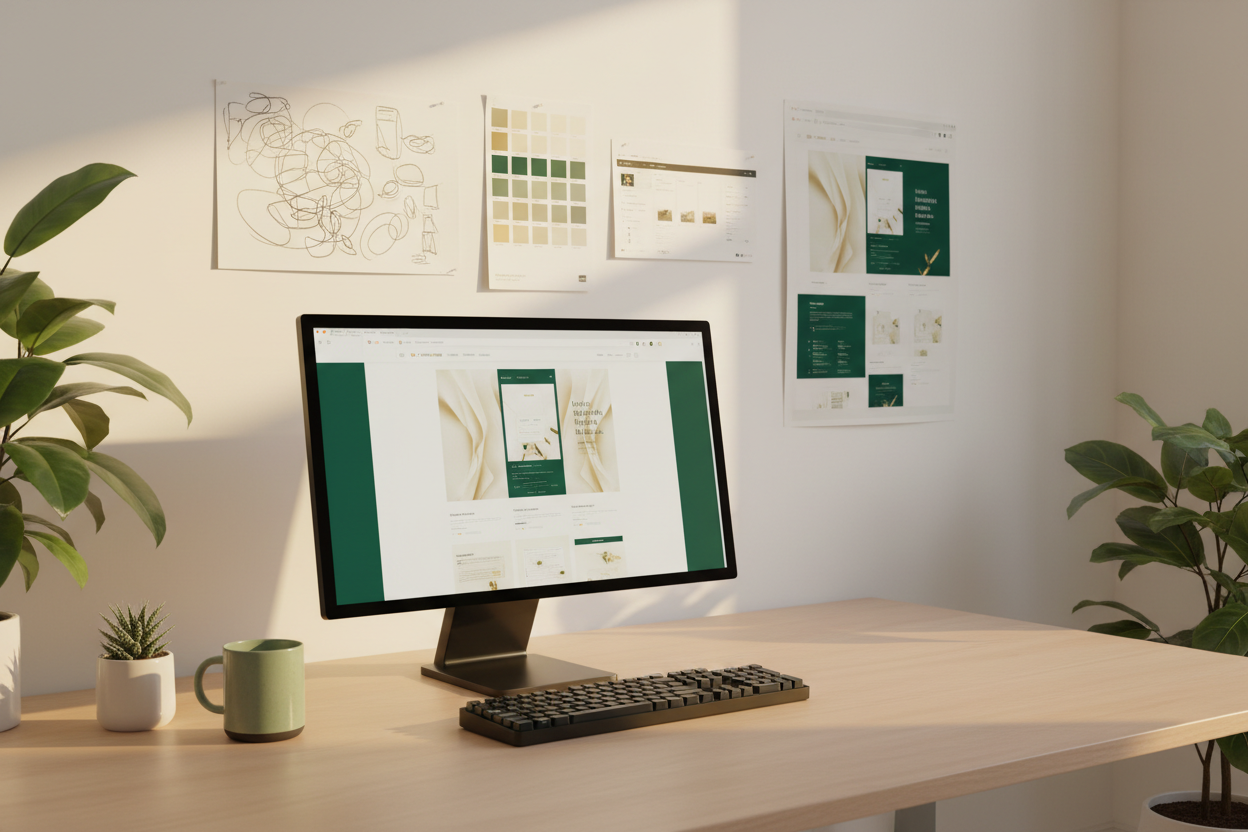
Quick Answer: Yes — you can build a complete custom Shopify theme without coding. I built one: 24 custom Liquid sections, full schema architecture, mobile-responsive across every page type, a locked design system applied consistently throughout, and production-ready output that runs a live marketplace. It took approximately four months from first session to finished theme. It cost approximately $340 in AI API usage. The equivalent developer cost at market rates would have been between $15,000 and $40,000. This post is the full story of how it actually happened — not the method, which is documented elsewhere on this blog, but the arc: what went wrong, what nearly stopped the project, and what the finished thing actually looks like from the inside.
I want to tell you the version of this story that does not appear in the method posts. The method posts — on building 24 sections, on directing Claude as a developer, on prompting discipline, on design system discipline — describe what the process looks like when it is working correctly. They document the system at its best. This post documents the system at every stage — including the stages before it was a system at all, when it was a series of expensive failures I hadn't yet understood how to learn from. If you have read those posts and come away thinking this is easier than it sounds, this post is the correction. And if you have read those posts and come away thinking it sounds impossibly difficult, this post is the encouragement. The truth is somewhere that makes both reactions make sense.

Month One — The Sessions That Produced Nothing Usable
Key Takeaway: The first month of building a custom Shopify theme without coding produced almost no usable output — not because AI development doesn't work, but because I had not yet understood that the output quality is entirely determined by the input quality, and my inputs were nowhere near good enough.
The first session I ran toward what would eventually become The Exchange theme lasted three hours and produced a hero section I never used. It looked like a slightly above-average Shopify theme hero — clean enough, functional, not embarrassing. But it had nothing to do with the vision I had for the store. The fonts were the AI's defaults. The colors were approximations of what I wanted. The spacing felt like a template. There was border-radius on the card elements. The animation was a generic fade-in. I asked for changes. The changes were made but the underlying problem remained: the AI was making hundreds of micro-decisions that collectively produced something that felt assembled rather than designed. And the reason it felt assembled was that it had been. By me, inadvertently, through the questions I hadn't thought to answer upfront.
Month one produced five sections that I built and then rebuilt from scratch in month two. Those five rebuilt sections cost me approximately forty hours of session time across the two months combined. The sections built after I developed the design system and the session method took an average of three to four hours each. The math of that comparison is the argument for doing the work upfront. I did not do the work upfront in month one because I did not know that the work was necessary. I thought the AI would compensate for vague inputs by producing something that looked close to what I had in my head. It did not. And the experience of watching it not do that — across five different sections over four weeks — was the most expensive education in specificity I have ever received.
What month one taught me — the lesson that shaped everything that followed — is that AI development rewards preparation disproportionately. One hour spent making design decisions before the session opens is worth approximately five hours of iterative correction after a vague session produces output that misses in multiple dimensions simultaneously. I now apply this principle to every session I run, across development and content and everything else EcomChief produces. It is the single most transferable lesson from the entire theme build, and it applies to every AI-assisted workflow regardless of what is being built.
Can You Build a Shopify Theme Without Coding — The Moment I Wasn't Sure
Key Takeaway: There was a specific moment — approximately six weeks into the build, after a session that produced a section with a layout bug I couldn't diagnose — where I genuinely wasn't sure whether building a complete custom Shopify theme without coding was possible. That moment was the most important one in the entire project.
Six weeks in, I ran a session that produced a features section with a layout bug on mobile. The desktop render was exactly right — the design system applied correctly, the typography following the rules, the spacing consistent with the sections already built. But on mobile, one element was overlapping another in a way that made the section unusable on a phone. I could see the problem. I could not describe what was causing it in technical terms because I cannot read Liquid at the syntax level. I described the visual symptom — "the icon grid is overlapping the text block on screens under 480px" — and asked for a fix. The fix addressed one instance of the overlap but introduced a different alignment problem in a different section of the layout. Two rounds later the alignment problem was resolved but the original overlap had reappeared. Three rounds of correction and I was further from a working section than I had been after the first round.
I stopped that session and did not open another one for four days. Not because I was giving up — because I needed to understand what was happening before I continued. The bug was not the problem. The problem was that I was trying to debug by describing visual symptoms without understanding the underlying layout logic, which was producing correction instructions that addressed symptoms without touching causes. I was describing what I could see without knowing what was creating it. That is a fundamental limitation of non-technical development work that the method posts do not fully address — because in the sessions where the method works correctly, the bug doesn't appear. This was the session where it did.
The solution I arrived at after four days of thinking about it was not technical. It was structural: I asked Claude to explain the layout approach it had used and why, then asked it to describe what a correct fix would involve at a conceptual level before implementing anything. That conversation produced enough understanding for me to write a correction instruction that was specific to the cause rather than the symptom — and the fix worked in one round. The lesson: when AI output has a problem I can't diagnose, the correct response is not more correction attempts but a diagnostic conversation first. I've used that approach every time a bug has resisted a first-round correction since. It works reliably. But I did not know it at week six. That week was the moment where this project could have ended and where I'm glad it didn't.
How Long Does It Take to Build a Custom Shopify Theme — The Honest Answer
Key Takeaway: Building a complete custom Shopify theme without coding took approximately four months from first session to finished production-ready theme — but the distribution of that time was highly uneven: one month of expensive mistakes, one month of design system development, and two months of productive section building once the method was established.
Four months is the headline number and it is accurate — but the distribution matters more than the total. The first month was expensive and slow: five sections built and rebuilt, approximately forty hours of session time, almost nothing to show for it at the end. The second month was investment, not output: designing the palette, establishing the typography system, documenting the animation rules, building the exclusions list, writing the design system document that would open every subsequent session. That month produced no new sections. It produced the foundation that every subsequent section was built on.
The third and fourth months were where the ratio changed. With the design system established and the session method refined, I was building sections at a rate of one to two per week — sometimes more when a section was simple and the brief was precise, sometimes less when a section required interactive behaviour that needed more specification. By the end of month four I had 24 sections: hero, signal bar, header, store cards, featured listings, comparison ledger, buyer reports, AI stack explainer, due diligence room, acquisition desk, footer, model cards, recommended listings, collection, collection list, cart, page, contact, blog, blog post, product, and several supporting sections. Each one passing schema validation. Each one mobile-responsive across five breakpoints. Each one consistent with the design system in palette, typography, animation, and technical structure.
If I were starting the same project today — with the method I now have, the design system document ready from day one, and the session structure established before the first brief — I estimate the same theme would take six to eight weeks rather than four months. The first month of mistakes would disappear entirely because the method prevents them. The second month of design system development would compress to two weeks of deliberate upfront work. The building would remain at roughly the same pace. That gap between four months and six weeks is the cost of developing the method through the project rather than before it — and it is the argument for reading these posts before you start rather than after you've spent a month producing output you'll rebuild. The stores in EcomChief's dropshipping catalog and agency collection are built with this compressed method — which is why their design quality is consistent without the four-month learning curve cost embedded in the price.
How Much Does It Cost to Build a Custom Shopify Theme — The Real Numbers
Key Takeaway: Building a complete custom 24-section Shopify theme through AI-directed development cost approximately $340 in API and tool usage — compared to a developer estimate of $15,000 to $40,000 for equivalent custom work. The real cost is time, not money — and the time cost is determined almost entirely by whether you develop the method before or during the build.
The financial cost of building The Exchange theme was genuinely small. Claude Pro subscription across four months: approximately $80. Supplementary API usage during testing and pipeline work: approximately $120. Shopify development store access: free. Design research tools: approximately $40 in font licensing and reference subscriptions. Design documentation and note-taking tools: free. Total direct cost to build a complete custom Shopify theme without a developer: approximately $340.
I got developer quotes for equivalent work at two points during the project — once before I started to understand the market rate, and once after completing the theme to understand what I had saved. The pre-project quotes ranged from $8,000 to $15,000 for a custom theme with 15 to 20 sections, from developers with relevant Shopify portfolios. Quotes for a theme at the complexity level The Exchange reached — 24 sections, custom schema architecture, complex interactive components, cross-page design consistency — ranged from $18,000 to $40,000 depending on the agency tier and turnaround time. The AI-directed approach produced the same output class at approximately one percent of the cost.
But the honest cost accounting has to include time — because four months of sessions across a solo operation is not a trivial time investment. I estimate approximately 180 hours of active session time across the four months: designing, briefing, reviewing, correcting, documenting. At even a modest hourly value for a solo operator's time, that investment is significant. The reason the project was still economically rational is that those 180 hours produced an asset — a complete custom theme — that would otherwise cost $18,000 to $40,000 to commission. The return on the time investment is the asset value, not the hourly rate of the sessions themselves. And the asset now produces value every time a store built on it sells through EcomChief's catalog. The ROI compounds in a way that a purchased developer theme would not. This economics logic is also why the stores in EcomChief's catalog are priced the way they are — they reflect the asset value of custom-built design work, not the cost of a Shopify theme template with product images swapped out. You can see the pricing structure and what's included in every sale at the what's included page.

What the Finished Theme Actually Looks Like — The Design Decisions That Held
Key Takeaway: The finished Exchange theme reflects the design decisions made in month two rather than month one — the locked palette, the editorial typography pairing, the spring easing, the zero border-radius — because those decisions were made deliberately and documented completely, not discovered through iteration.
The Exchange theme that now runs PrebuiltStack.com — and provides the design foundation for the stores EcomChief sells — looks like a Bloomberg terminal crossed with a Sotheby's auction catalogue. That aesthetic reference was not arrived at through iteration. It was decided before a single section was built and documented in a design brief that every subsequent session referenced. Paper #f6f3ec. Ink #161512. Emerald #0b6e4f. Gold #b8862f. Fraunces at weight 300 for every headline. IBM Plex Mono for every UI element, every label, every button. Zero border-radius everywhere. Spring easing cubic-bezier(0.16, 1, 0.3, 1) on every transition. IntersectionObserver with unobserve on every scroll reveal.
Those decisions are why the theme looks the way it looks. Not the AI. Not the prompting technique. Not any particular session that went especially well. The design decisions made deliberately in month two, documented in a locked system, and applied without exception across 24 sections — that is what produces the result. The AI implemented those decisions. I made them. And the distinction matters enormously for anyone thinking about attempting the same kind of project: the non-technical skill that determines whether this approach produces something worth using is design decision-making quality, not prompting cleverness. You can develop prompting technique over time. You cannot substitute it for design clarity. I had neither when I started month one. I had both when I started month three. The difference in output quality between those two states is visible in every section that was built before and after the design system was established.
The sections I am most proud of — the hero that makes the store feel like a financial asset platform rather than a Shopify template, the acquisition desk with live ticker indicators, the comparison ledger that treats business listings like equities rather than products — all of them were built in months three and four. All of them would be impossible to brief without the design language developed in month two. And all of them are only as good as they are because the design decisions behind them were made with genuine conviction and held without compromise across every section that followed. That conviction — that the zero border-radius matters, that IBM Plex Mono for every UI element is not an aesthetic caprice but a deliberate choice — is what makes the finished theme feel designed rather than built. And if you want to own one of the stores built on that standard without going through the four months it took to develop it — browse the full catalog, use the live preview, and check whether the design consistency holds across every page the way I've described in this post. It does. That is the whole point.
What I Would Tell Someone Starting This Project Today
Key Takeaway: The three things I would tell someone starting a custom Shopify theme build without coding today are: spend the first two weeks making design decisions before writing a single brief, read the four method posts in this series before the first session, and plan for six to eight weeks of productive building rather than four months of iterative discovery.
If you came to this post because you are considering building your own custom Shopify theme without coding — here is the compressed version of everything the four-month project taught me, in the order it would have been most useful to know at the start.
Week one and two: make your design decisions. Not the theme decisions — the design decisions. What are your four to six colors, named and hex-valued? What are your two typefaces, with their roles and weights specified? What is your animation approach — easing curve, trigger method, timing? What is never permitted in your theme regardless of how good it might look? Document all of it in a single brief that opens every session from here. This document is the most valuable thing you will build in the entire project. It takes two weeks to do properly. It saves two months of rebuilding.
Before your first session: read the four method posts in this series. The 24 sections post gives you the overview. The director mindset post gives you the session structure. The prompting discipline post gives you the brief-writing habits. The design system post tells you exactly what breaks when you skip the system loading. Reading all four before your first session compresses the four-month learning curve significantly. Not entirely — you will still make mistakes. But you will make them on individual sections rather than on the entire first month of work.
And finally: plan for six to eight weeks, not four months. Four months is what it takes when you develop the method during the project. Six to eight weeks is what it takes when you have the method before you start. The stores in EcomChief's catalog reflect the six-to-eight-week method — not the four-month discovery process. If you want to skip the entire build and own a store that reflects the finished output of this method, the buyer questions page and handover process page explain exactly what you are getting and how the transfer works.

Own the Output Without the Four Months
Key Takeaway: Every store in EcomChief's catalog is built using the refined method described in this post — not the four-month discovery version, but the six-to-eight-week system that applies the design decisions and session discipline from day one.
The stores in EcomChief's catalog are built using the exact method described in this post. Not templated. Not assembled from a page builder. Custom sections, locked design systems, production-ready Liquid — the same standard I hold my own theme to. If you want to own a store built this way without spending months developing the method yourself, this is where to start.
The Bottom Line
Key Takeaway: Building a complete custom Shopify theme without coding is genuinely possible — it takes approximately four months if you develop the method during the build and six to eight weeks if you apply the method from the start, costs approximately $340 in direct expenses, and produces output worth $15,000 to $40,000 at developer market rates. The non-technical skill that determines the quality of the output is not prompting — it is design decision-making clarity.
The Exchange theme exists. It runs a live marketplace. It has 24 production-ready sections. Every page type — hero, collection, product, cart, blog, blog post, about, contact — has been designed and built with the same locked system applied without exception. I cannot write Liquid. I cannot debug code from first principles. I cannot read a CSS file and tell you what every property does. None of that stopped the project from producing a result I am genuinely proud of and would enter into a design awards competition without hesitation. What made it possible was not a tool. It was the discipline to make design decisions before I opened a session, to hold those decisions across every section that followed, and to review output against them rather than against a feeling of adequacy. That discipline is available to anyone. The method is documented across four posts in this series. The output is visible in the live previews of EcomChief's catalog. If you want to build your own version — start with the method posts and give yourself six to eight weeks with the system established from day one. If you want to own a finished version built by this method — EcomChief is rated 5.0/5 based on 3,979 customer reviews and the stores are ready to transfer. Read the buyer questions and browse the catalog.
Helpful EcomChief Resources
Key Takeaway: These links give you the complete AI builder series in sequence plus direct access to the ready-made stores built using the method described in this post.
Read the full AI builder series in order:
- Part 1 — I Built 24 Custom Shopify Sections With No Coding Background
- Part 2 — How I Use Claude as a Senior Developer I Direct, Not a Tool I Operate
- Part 3 — The Prompting Discipline That Separates Production-Ready Liquid From Garbage Output
- Part 4 — Why I Carry a Full Design System Into Every AI Session
- Part 5 — I Built a Complete Shopify Theme Without Writing a Single Line of Code (this post)
Browse and buy:
- Ready-Made Dropshipping & Ecommerce Stores
- Ready-Made Digital Agency Businesses
- Ready-Made Affiliate Sites
- Ready-Made Amazon Stores
- Ready-Made Apps & SaaS Starters
- Business Bundles
- Build Your Own Bundle
- What's Included in Every Sale
- The Handover Process — Step by Step
- Online Business Buyer Questions
- Free EcomChief Tools
- EcomChief FAQ & Help Center
- Talk to EcomChief Directly
- About EcomChief
Related reading
All articles


Free Online Business Calculators
Estimate costs, profits, ROI, affiliate earnings, and business value before you spend money.