AiDevelopment
I Built 24 Custom Shopify Sections With No Coding Background — Here's the Exact Method
I have no coding background. I never have. But over the last several months I designed and built 24 fully custom Shopify Liquid sections — a complete theme — from scratch. Here...
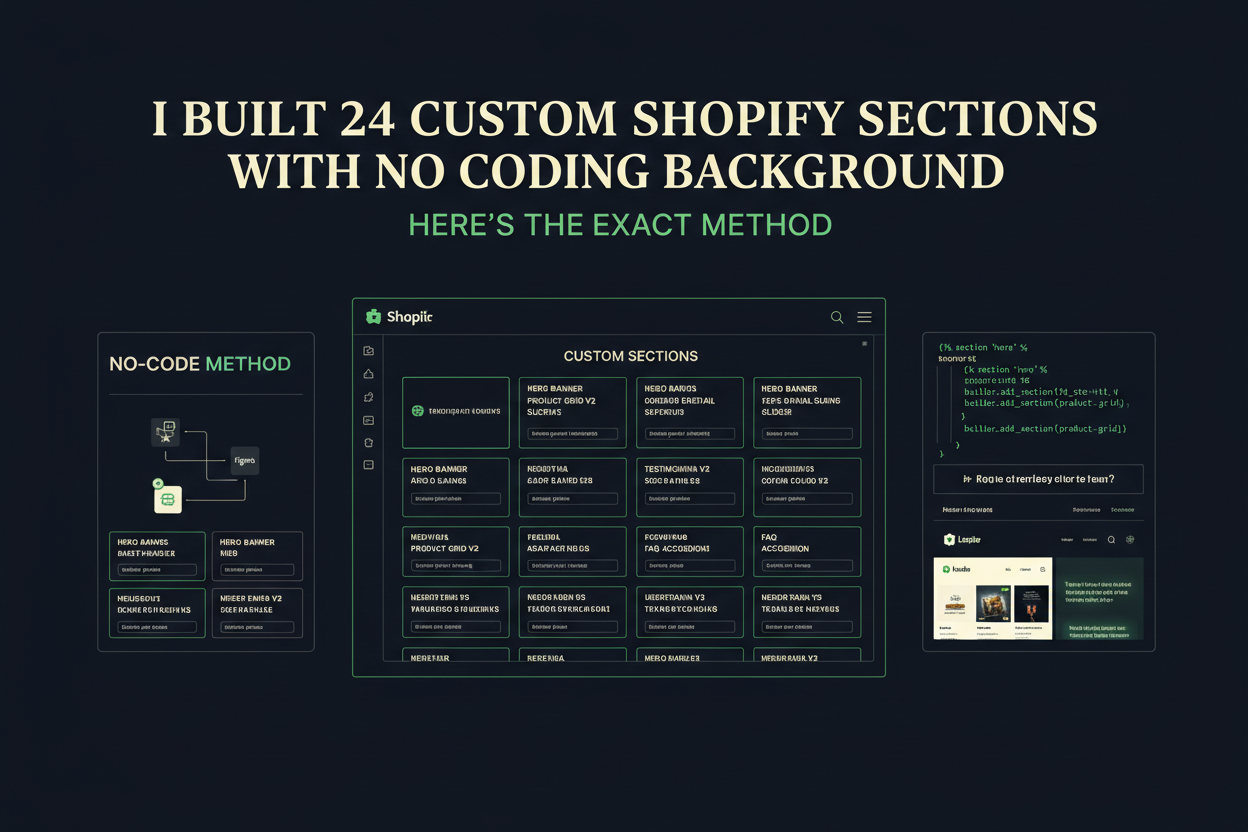
Quick Answer: You can build Shopify sections without coding by using AI as a directed development partner — not a general chatbot. The method involves a locked design system, precise section-by-section briefs, and consistent quality review against your own design rules. I used this exact approach to build 24 production-ready custom Shopify Liquid sections and a complete theme from scratch, with zero coding background. Every ready-made store sold through EcomChief is built using this same process.
I have no coding background. I want to say that clearly upfront because everything that follows depends on you understanding it. I cannot read Liquid. I cannot debug JavaScript from first principles. I never studied web development, and if you showed me a raw CSS file I couldn't reliably tell you what half of it does at a syntax level. And yet, over the last several months, I designed and built 24 fully custom Shopify Liquid sections — a complete theme called The Exchange — entirely from scratch. Every section is production-ready. Every one follows a locked design system. Every one passes Shopify schema validation and renders correctly across mobile and desktop. I did all of it solo, while simultaneously running EcomChief, managing content, handling customer questions, and working across multiple other projects at once. This post is about exactly how that happened — the method, the discipline, the mistakes, and the one thing most people get completely wrong when they try to use AI for Shopify development.

Why Most People Fail When They Try to Use AI for Shopify Development
Key Takeaway: Poor results from AI-generated Shopify code almost always come from the brief — not the AI. Treat it like a senior developer you are directing and the output quality changes completely.
The first time I asked an AI to build me a Shopify section, the output was mediocre. Generic. The kind of thing that technically works but looks like every other theme on the market. I made the same mistake everyone makes — I described what I wanted in vague terms and felt disappointed when the result didn't impress. "Build me a hero section for my ecommerce store." That is not a brief. That is a prayer.
The shift happened when I stopped thinking about AI as a tool that produces output and started thinking about it as a senior developer I'm responsible for directing. That sounds like a small mindset change. It isn't. It changes everything about how you write your instructions, what you include, what you hold the output accountable to, and how you respond when something misses. A senior developer doesn't guess what you want. They work from a brief. They reference your design system. They push back when an instruction would produce a bad result. When I started treating my AI sessions that way — with that level of structure and direction — the quality of what came back changed completely.
Most people who try to build Shopify sections without coding give up after two or three attempts because the output looks amateur. The problem is almost never the AI. It's the brief. And writing a proper brief is a skill you can develop in a weekend. If you're considering a ready-made Shopify store instead of building from scratch, this method is exactly how those stores get designed — but if you want to build your own, this is the process.
Can You Actually Build Shopify Sections Without Knowing Code?
Key Takeaway: Yes — but your contribution shifts entirely to the design and brief layer. Design clarity replaces technical knowledge, and that trade is more valuable than most people realise.
Let me be honest about what "no coding background" actually means in practice. It does not mean you point at a blank screen, say "make something nice," and walk away. It means your contribution shifts entirely to the design and brief layer — which, if anything, is the harder and more valuable layer. Any competent developer can implement a well-written brief. Almost nobody can write a well-written brief.
What I can do — and what you'll need to develop if you want this to work — is describe design decisions with extreme precision. Not "I want it to look premium." That means nothing. Instead: zero border-radius on all elements, hairline 1px borders in a near-black ink tone, Fraunces serif at weight 300 for all headlines, IBM Plex Mono for every UI label and statistic, spring easing cubic-bezier(0.16, 1, 0.3, 1) on all transitions, IntersectionObserver with unobserve for scroll reveals, no conic-gradient anywhere for Safari compatibility. That is a brief. That produces consistent, production-quality output because the AI has no decisions left to make by instinct — every decision has already been made for it.
I developed that precision by spending serious time thinking about what I actually wanted before opening any AI tool. The design decisions came first. The code came second. If you reverse that order — if you start generating code and then try to shape it into something you like — you'll spend ten times longer and end up with something ten times less coherent. This is true whether you're building a custom theme or evaluating what separates a well-built ready-made business from one that was thrown together quickly.
The Design System That Made Everything Possible
Key Takeaway: A locked design system built before you write a single brief is the single most important step — it's what makes 24 sections feel like one coherent theme instead of 24 separate experiments.
Before I built a single section of The Exchange theme, I established what I call a locked design system. Four colors. Two fonts. Fixed spacing rules. A consistent animation approach. A naming convention for CSS variables. A rule set that every section — no matter when it was built, no matter which AI session it came from — would follow without exception.
The palette landed on a Bloomberg-meets-Sotheby's aesthetic. Paper: a warm cream at #f6f3ec. Ink: a near-black at #161512. Emerald: a deep authoritative green at #0b6e4f. Gold: a restrained antique gold at #b8862f. Four colors. That's it. No variations, no tints added on the fly, no exceptions made because a section "needed" something different. The constraint is the point. When you limit your palette that aggressively, every section automatically feels like it belongs to the same family.
Typography followed the same logic. Fraunces — a variable serif with genuine character — for every headline, at weight 300 to 400, never bold. IBM Plex Mono for every UI element: labels, stats, tags, buttons, navigation. Those two faces together do something no amount of decoration can replicate — they give the theme a voice. And once the design system was locked, each new section brief became dramatically faster to write. I wasn't making design decisions per section anymore. I was only making layout decisions. Layout is the easy part.

How to Customise a Shopify Theme Without a Developer — The Session Method
Key Takeaway: Structuring every AI session the same way — design system context loaded first, then one focused section brief — produces consistent, production-ready output without the iteration loops that waste most people's time.
Every section I built followed the same session structure. Not because I'm obsessive about process — because the first time I deviated from it, the output was noticeably worse. Consistency in how you brief produces consistency in what you receive.
The session always opened with the full design system context. Colors, fonts, CSS variable naming conventions, animation rules, schema requirements, mobile breakpoints, and coding rules — all of it loaded before a single section-specific instruction. This is the equivalent of handing a developer your style guide on their first day. You wouldn't expect them to write on-brand code without it. Don't expect AI to either.
Then came the section brief itself. One section per session. Not "build me a hero and a features block and testimonials." One section. Fully specified. The section name, the layout, the content elements it needs to contain, any interactive behaviour, the schema settings the merchant should control in the Shopify customiser, and any technical rules specific to that section. I also specified what I did not want — equally important. No conic-gradient. No external animation libraries. No border-radius. Exclusions are as valuable as inclusions in a brief.
After delivery I did a design review — not a code review — but a design review. Does this look like it belongs to the same theme? Does the spacing feel right? Is the animation premium or cheap? If something was off, I described what was wrong in design terms and requested a specific fix. That process — brief, deliver, design review, targeted correction — typically produced a finished section in one or two rounds. The same discipline applies when reviewing whether a ready-made business handover has been done properly — you review against a standard, not a gut feeling.
The 15 Technical Rules That Protected Every Section
Key Takeaway: Non-negotiable technical rules embedded in every brief prevent the common Shopify Liquid errors that break themes in production — even when you cannot read the code yourself.
One thing I learned early — the hard way, with a section that broke on mobile — is that AI will produce code that looks correct and still contains subtle errors. Not careless mistakes, but default decisions made without constraint. Left unconstrained, it might use a deprecated Shopify filter, write a schema name that exceeds Shopify's 25-character limit, or build an animation that ignores prefers-reduced-motion and creates an accessibility problem.
So I built a list of fifteen non-negotiable technical rules that appeared in every single brief. Section-scoped CSS only, prefixed with the section ID to prevent style bleed. IntersectionObserver on every reveal animation, with unobserve called after the animation triggers. Spring easing on all transitions. Schema names under 25 characters — a hard Shopify limit that silently breaks your customiser if exceeded. No conic-gradient for Safari compatibility. Presets block included in every schema. Mobile breakpoints tested at 1080, 860, 720, 540, and 420px.
I cannot verify most of these rules by reading the code. What I can do is specify them in the brief, and when something breaks I describe the symptom and ask for a targeted fix. Across 24 sections this approach produced exactly two bugs that required more than one correction round. Two. Across a complete custom theme. That is a genuinely good result. If you're not building your own theme and just want a store built to this standard, you can browse our dropshipping stores or ready-made agency businesses to see what production-quality design looks like in practice.
What Building 24 Sections Taught Me About Shopify AI Development
Key Takeaway: The real skill in AI-assisted Shopify development is not technical — it's the ability to make strong design decisions before you start and hold the output accountable to them throughout.
If I had to distil everything into a single observation, it would be this: the brief matters infinitely more than the technical skill. I've watched developers with real coding knowledge produce mediocre Shopify themes because they hadn't thought clearly about what they were building before they started. I built a theme I'm genuinely proud of — one I'd submit for design awards — without writing a line of Liquid myself. The difference was entirely in the preparation.
The sections I'm most proud of — the hero that references Bloomberg terminal aesthetics, the acquisition desk with live data indicators, the comparison ledger that treats business listings like financial assets — none of those ideas came from the AI. The AI implemented them. The ideas, the references, the design logic, the emotional register — all of that came from knowing exactly what I wanted to build before I opened a session.
I also learned that constraints are generative. Every rule I set — no border-radius, only two fonts, four colors maximum — felt like a limitation going in. Looking at the finished theme, every one of those constraints is why it looks distinctive. Generic design is the result of too many options left open. And honestly? The hardest part of this entire process had nothing to do with code or AI. It was learning to trust my own design instincts enough to hold the output to a high standard. That took longer than any individual section build. For anyone who wants to skip that journey entirely, EcomChief's ready-made apps and affiliate stores are built using exactly this method.
Can AI Build Shopify Sections — And Should You Try It?
Key Takeaway: AI can build production-quality Shopify Liquid sections — but only with a human providing clear design vision, a locked system, and consistent quality review. Without those, the output will be generic every time.
The honest answer is yes — with conditions. AI can produce Shopify Liquid sections that are production-ready, schema-valid, mobile-responsive, and genuinely well-designed. I have 24 of them live as proof. But it cannot do this without a human who has clear design vision, the discipline to document that vision before coding begins, and the judgment to push back when output falls short.
If you go in expecting to type a vague request and receive award-level output, you'll be disappointed every time. If you go in with a locked design system, a focused single-section brief, a list of non-negotiable technical rules, and the willingness to give specific design feedback — you'll be surprised how far you can get without writing a line of code. The method is real. I did it. And the stores sold through EcomChief are the direct output of it. You can read more about buying a ready-made store vs building from scratch to understand which path suits your situation — and if you're curious whether this approach works across different business models, the answer from our AI agency launch guide is the same.
The Practical Starting Point If You Want to Try This Yourself
Key Takeaway: Start with your design system document — not your first section brief. Every hour you spend locking your palette, fonts, and rules before coding will save ten hours of inconsistent output later.
If you want to try building Shopify sections this way, here is where to start. Not with a brief. Not with an AI session. With a design document. Sit down and decide four things before you open any AI tool.
First: your color palette — four to six colors maximum, named clearly, hex values locked. Second: your typography — one display face, one utility face, specific weights and sizes for each role. Third: your animation rules — easing curve, reveal timing, whether you'll use scroll-triggered reveals or load animations. Fourth: your non-negotiable exclusions — what you will never allow in your theme regardless of what looks good in isolation.
Write all of this in a single document. Every AI session starts by pasting that document in full. Every section brief follows it without exception. When output deviates from it, you correct it specifically and immediately — not vaguely, not by asking for "something better," but by describing exactly which design rule was broken and what the correct implementation should be. That document is your design system. It is the most valuable thing you will build in this entire process — more valuable than any individual section, more valuable than any single prompt. If you'd rather skip the build phase entirely and launch with something already built to this standard, read our FAQ or talk to us directly before you decide.

Built Using This Exact Method — Ready to Own Today
Key Takeaway: Every store in EcomChief's catalog is built to the same standard described in this post — not templated, not assembled from a page builder, but custom-built with locked design systems and production-ready Liquid.
The stores in EcomChief's catalog are built using the exact method described in this post. Not templated. Not assembled from a page builder. Custom sections, locked design systems, production-ready Liquid — the same standard I hold my own theme to. If you want to own a store built this way without spending months developing the method yourself, this is where to start.
The Bottom Line
Key Takeaway: Building custom Shopify sections without coding is genuinely possible — the method is real, the output is production-quality, and the only thing between you and a complete custom theme is the quality of your design brief.
Twenty-four sections. One complete theme. Zero coding background. I'm not saying this to impress you — I'm saying it because if I can do it, the method is clearly transferable. The Exchange theme that runs EcomChief's PrebuiltStack exists because I was willing to invest serious time in design decisions before the first brief was written, and disciplined enough to hold every section to those decisions regardless of how long it took. That discipline is available to anyone. It doesn't require technical skill. It requires clarity of vision, precision of language, and the willingness to push back on output that doesn't meet the standard you set at the start. If you have those three things, you can build a Shopify theme without writing a single line of code. I already did. And if you'd rather own one of the stores built from this process than build your own, EcomChief has every business model covered — browse and see what the method produces in practice.
Helpful EcomChief Resources
Key Takeaway: These links help you explore EcomChief's ready-made stores, understand what's included, read the handover process, and get answers before making a purchase decision.
Here are useful links to continue your research:
- Ready-Made Dropshipping & Ecommerce Stores
- Ready-Made Digital Agency Businesses
- Ready-Made Affiliate Sites
- Ready-Made Amazon Stores
- Ready-Made Apps & SaaS Starters
- Business Bundles
- What's Included in Every Sale
- The Handover Process — Step by Step
- EcomChief FAQ & Help Center
- Talk to EcomChief Directly
- Buying Ready-Made vs Building From Scratch — Cost & Time Breakdown
- How to Launch an AI Automation Agency in 2026 With No Coding
- How to Start a White-Label SaaS Business Without Writing Code
The method described here is not theoretical. It's what EcomChief is built on — and what every store in the catalog reflects. If you're ready to skip the build phase entirely and launch with something that already reflects this standard of work, browse the full collection and find the business model that fits your goals.
Related reading
All articles


Free Online Business Calculators
Estimate costs, profits, ROI, affiliate earnings, and business value before you spend money.