
Appointment Booking Software
$99from, paid once
Live demo with sample data. Click anything.
Built, branded and set up. Ownership moves into your name within 24–48 hours.
Secure checkout. Handover starts as soon as payment clears.
Questions before you buy? Ask Ani, the founder, directly. Get in touch
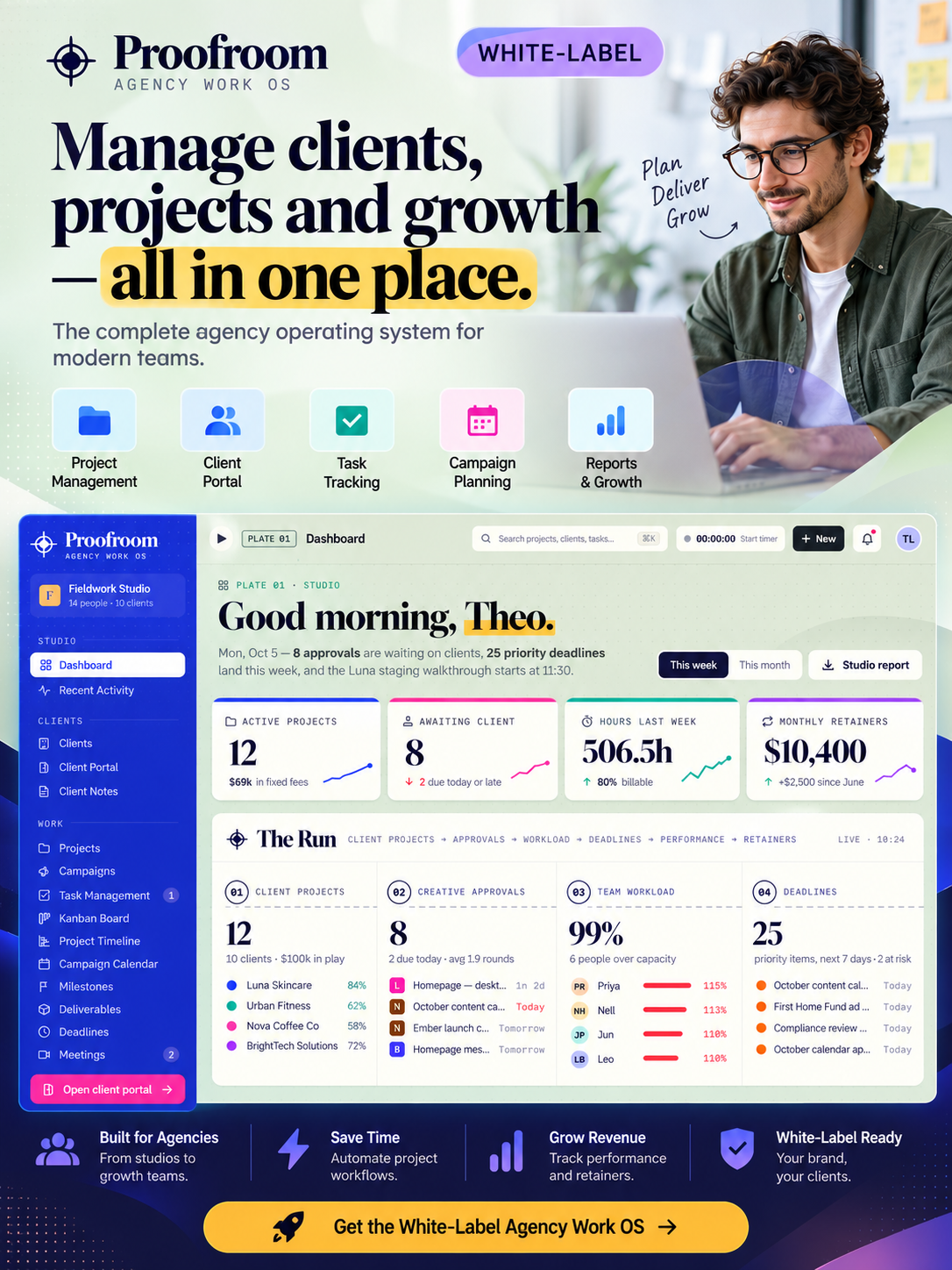
Start your own ready-made digital agency project management software business. This software is built for digital agencies, creative studios and marketing teams. It gives customers a simple way to manage agency projects, campaigns, tasks, approvals, time and budgets. You do not need to build the software from scratch.
The simplest business model is to white-label the complete software and sell it to different companies. You can use it for your own business or resell complete branded copies again and again. This gives you a practical white label project management software business without complicated per-user pricing.
Included with your purchase: your own domain name (included in the price), full source code, Admin/Owner Dashboard, white-label branding, setup and deployment, full reseller rights, and handover instructions. Full reseller rights mean you can resell the software multiple times to different customers and keep the revenue from your sales.
Start your own ready-made digital agency project management software business for digital agencies, creative studios and marketing teams. The software helps customers manage agency projects, campaigns, tasks, approvals, time and budgets. You receive full source code, an Admin/Owner Dashboard and full reseller rights, so you can use it yourself or resell it multiple times.
Agency performance, live work, deadlines, approvals and revenue at a glance.
Clients, contacts, active work, retainers and account history.
Every client project with status, owner, budget, progress and delivery dates.
Campaign work across channels, owners, budgets and performance stages.
Assigned work, priorities, due dates, dependencies and completion.
Move agency work across stages with a visual production board.
Plan project phases, milestones, dependencies and delivery windows.
See launches, content, meetings and campaign activity by date.
Track client decisions, pending approvals and sign-off status.
Review creative work, comments and visual feedback in one place.
See capacity, utilisation and workload across the agency team.
Track billable and non-billable time by client, project and person.
Monitor project budgets, spend, remaining allowance and margin.
Track invoices, payment status and overdue client balances.
Compare client revenue, delivery cost, time and margin.
White-label the complete software and sell it to different companies.
Use the software inside your own company.
Sell separate branded copies to multiple customers and keep the revenue.
Change the customer count and monthly price to see an illustrative scenario.
Illustration only. This shows revenue arithmetic, not profit, a forecast or a guarantee. Results depend on your pricing, marketing, churn, operating costs and third-party platform costs.
The identity of this software, in one document.

Nothing is licensed, rented or shared. Each item transfers to you at handover, and you can rebrand, expand or resell any part of it.
Domain name included in the price, full source code, Admin/Owner Dashboard, white-label branding, setup and deployment, full reseller rights, and handover instructions.
After purchase, we set up the software under your branding, include your domain name, configure deployment and prepare the Admin/Owner Dashboard. You receive the full source code, full reseller rights and handover instructions.
A secure digital transfer. We move the Master App into your cloud dashboard account so you own the code and the business.
Complete purchase to secure the Master App rights.
Sign up for your free cloud dashboard account.
We send the Master Project directly to your email.
The app is now in your account. Duplicate and sell instantly.
Answers specific to Digital Agency Project Management Software – White-Label SaaS and its handover.
This software is designed for digital agencies, creative studios and marketing teams.
You receive the software, domain name, full source code, Admin/Owner Dashboard, white-label setup, full reseller rights and handover instructions.
Yes. You can white-label it and resell complete copies to multiple customers.
Yes. You can use it yourself or build a business around selling it.
After purchase, we set up the branding and deployment, connect the included domain and prepare the project for handover.
From the same collection, all ready to hand over.