
BuyingGuide
HVAC Scheduling Software: Dispatch, Technician Workflows and Buying Checklist
Choosing HVAC scheduling software? Learn what to test for emergency calls, technician assignment, service agreements, job history and cost—with a practical 12-point buyer checklist.
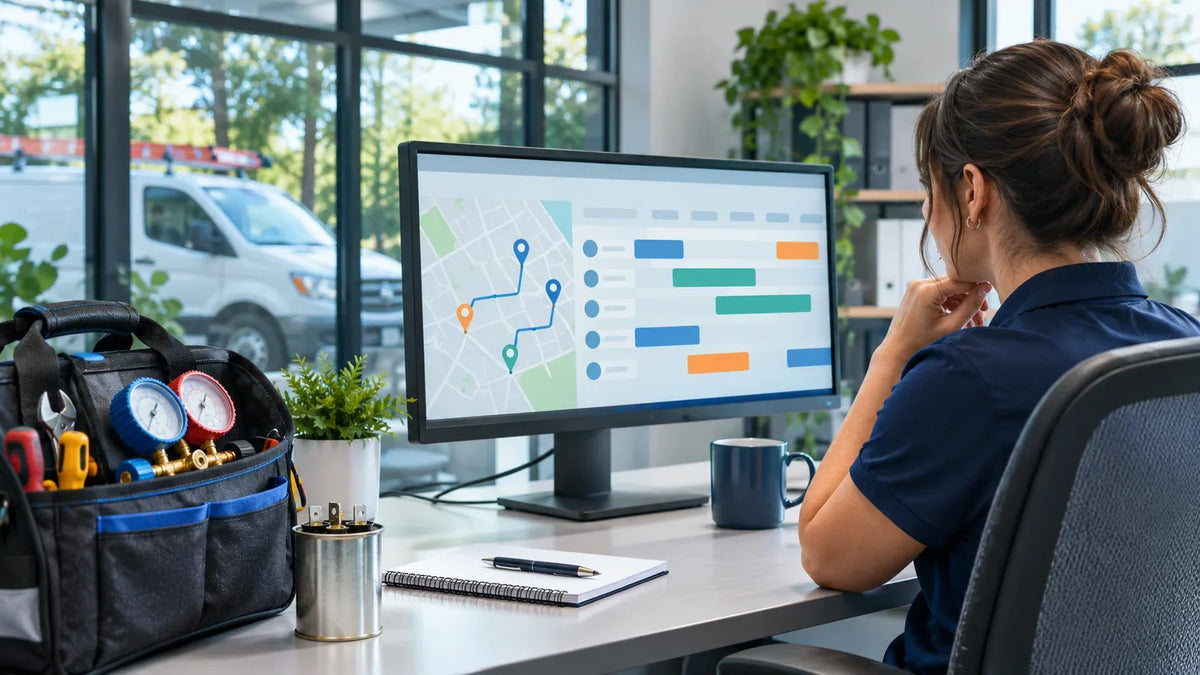
HVAC scheduling software organizes service calls, technician availability, dispatch changes and recurring visits. The right system should help an office schedule a routine tune-up, respond to an urgent cooling failure, assign a qualified technician and carry the job through to completion. A polished calendar alone is not enough: test the complete workflow, the real subscription or deployment costs, and what happens when plans change unexpectedly.
What This Means for You
If you operate an HVAC business, start with the problem you need to solve. A single technician who books planned maintenance may need a simple calendar and customer reminders. A business handling multiple emergency calls, installations and maintenance contracts needs stronger dispatch controls, equipment history and field updates. Do not pay for the most elaborate platform before proving that its scheduling logic matches your jobs.
If you want to operate or resell an HVAC software product instead of renting access to another provider, the due diligence is different: you must verify the application, source-code or licensing rights, hosting responsibilities and ongoing technical support. A software starter asset is not an established SaaS company with customers or recurring revenue unless those claims are supported by transferable evidence.
1. What HVAC Scheduling Software Actually Does
Scheduling answers when a job will happen. Dispatch answers who will attend and whether that technician has the time, location and skills to do it. HVAC field service software may also connect the booking to a customer record, equipment details, estimate, completed work order and invoice. Vendors combine these functions differently, and individual plan tiers may have limits.
| System type | Primary job | Potential gap to check |
|---|---|---|
| Basic appointment scheduler | Make bookings, show availability, issue reminders | Emergency dispatch, equipment records and complex crew assignment |
| HVAC dispatch system | Assign and reassign field visits by technician, time and service area | Sales pipeline, invoicing and contract billing may need other tools |
| Broader HVAC field service platform | Connect intake, scheduling, field execution and job closeout | Cost, configuration effort and unused features |
For a general explanation of the categories, see EcomChief’s field service CRM versus scheduling software comparison. This guide goes deeper into the operational decisions specific to heating and cooling contractors.

2. HVAC Jobs Have Different Scheduling Rules
One appointment-length setting rarely works for every HVAC task. A preventive maintenance visit may fit a defined service window; an air-conditioning replacement can require multiple technicians, equipment delivery and a longer block; and an after-hours no-cooling call can force a dispatcher to rearrange an otherwise full afternoon.
Urgent diagnostic calls
The office should capture the issue, address, access instructions and customer urgency before promising an arrival time. The software should let staff see the available technician pool, shift rules and service areas. Where suitable, the dispatcher should be able to move an existing appointment, notify the affected customer and preserve an audit trail of the change.
Planned installation jobs
Installation may depend on crew size, site assessment, equipment delivery and permits or certifications relevant to the work. The booking workflow should distinguish the initial quotation from the installation date. Ask how it handles a second visit when a part arrives late; a system that treats every job as a single two-hour appointment can cause problems.
Seasonal preventive maintenance
Routine inspections often need recurring reminders and a record of the equipment serviced. A maintenance agreement is not the same as an automatically created job: test whether the agreed number of visits, service windows, renewal dates and completed visits remain consistent. If a customer cancels or changes their plan, future appointments should not be left behind unnoticed.
3. Seven Capabilities That Deserve a Live Test
Judge these functions by evidence from a trial or demonstration, not by the icon list on a landing page. The following are buyer requirements, not claims that every HVAC product includes them.
- Booking and capacity. Create a diagnostic, repair and installation job. Set different durations and try to place two jobs against the same technician. The system should stop the conflict or clearly warn the dispatcher.
- Skills and service zones. Assign a job needing a specialized technician, then exclude an unqualified technician. Test geographic zones, working hours and travel buffers. ServiceTitan’s capacity documentation illustrates how technician skills, zones and availability can inform dispatch settings.
- Rescheduling and notifications. Move a job after the customer has been notified. Check what the office, technician and customer actually receive, how quickly changes synchronize, and which messages cost extra.
- Mobile technician workflow. On a phone, open the address, notes and equipment details; update status; attach a photo; and return a completion note. Test a poor-connectivity scenario if your team works in areas with limited reception.
- Customer and equipment history. Open a return visit at the same property. Check whether staff can see the previous system model, work, warranty notes and recurring problems without searching several unrelated records.
- Estimate-to-invoice handoff. Follow a test estimate to an approved job, logged parts and completed visit. Determine whether the invoice is created inside the system, exported or entered elsewhere.
- Permissions and portability. Verify office and field users see only necessary information, the business can export its data, and the cancellation and recovery process is documented.
The vendor documentation gives useful examples of how real products structure these workflows. Jobber’s HVAC product information describes scheduling, dispatch and maintenance functions; Housecall Pro’s scheduling instructions show job creation, calendar changes and technician assignment. These are vendor descriptions, not independent performance tests or a claim that all competing tools behave identically.

4. The Emergency Dispatch Test: One Call, Two Competing Jobs
Use this scenario during every vendor demo. It exposes gaps more quickly than a tour of a dashboard. The example is hypothetical and does not describe a real EcomChief customer.
Scenario: On a busy afternoon, a customer reports that cooling has failed. Technician A is finishing routine maintenance nearby. Technician B is on an installation that cannot safely be interrupted. A third appointment is booked later in the day.
- Receive. Enter the caller, location, equipment type, reported fault, contact details and urgency.
- Check. Show the next available technician, existing commitments, service area and any required technical skills.
- Assign. Move the urgent diagnostic to an eligible technician without accidentally assigning the same time slot twice.
- Notify. Inform the technician and, if necessary, a customer whose original visit changes. Verify the sent message rather than assuming notification happened.
- Perform. Have the technician open the job on a phone, record arrival and findings, and add notes or photographs.
- Close. Capture a follow-up part requirement or completed work, then create a billable record or a clean accounting handoff.
- Recover. Undo an incorrect change and show who modified the job, where that information is available.
If the system fails at your most important step, a long list of extra dashboards should not compensate. Prioritize the critical workflow over a high overall feature count. For smaller teams, straightforward manual reassignment may be sufficient; automated routing is valuable only if it makes the real workflow more reliable.
Considering a software asset rather than a monthly vendor subscription? EcomChief currently lists an HVAC scheduling and dispatch software starter product. The listing describes service requests, appointment bookings, dispatch, maintenance plans and invoices, plus white-label and resale rights. Treat the listing as a starting point: request the live demonstration, verify the current scope, and do not assume every capability in this checklist has been implemented or independently tested.
5. Maintenance Agreements and Equipment History
HVAC businesses may serve the same property for years. That makes a one-off calendar event a weak record of the relationship. A useful system should distinguish the customer, service address, individual equipment and visit history. For example, a property could have two air-conditioning units with different ages and service records. A technician should know which unit the booking concerns.
When evaluating recurring maintenance, ask the vendor to set up a plan with two annual visits, schedule the first visit, mark it complete, postpone the second and show what happens to the next renewal. Confirm whether plan billing is inside the software or depends on a separate payment provider. Housecall Pro describes recurring HVAC service-agreement scheduling, while ServiceTitan’s feature catalogue separates service agreements, equipment management and dispatch. Those examples demonstrate why a maintenance plan needs more than a repeated date on a calendar.
For a new business, the essential information may be asset type, model/serial field, installation date when known, latest service, recommended next visit and job notes. Avoid recording information you do not need. Restrict access to customer addresses and contact details and test export before committing the business’s long-term service history to a platform.
6. What HVAC Scheduling Software Really Costs
There are several ways to obtain software, and the headline number alone will not reveal total cost. A hosted subscription can be convenient because the vendor operates the platform, but user limits, messaging, payment processing and higher-tier functions can change the bill. A ready-made codebase or white-label app can reduce initial development work, but shifts deployment, support, security and product maintenance responsibilities toward the owner. A custom build offers more control but has greater specification and development risk.
| Cost component | Hosted subscription | Owned or white-label software |
|---|---|---|
| Entry cost | Plan and any onboarding fee | Asset purchase or licence and initial setup |
| Recurring software operations | Vendor subscription and add-ons | Hosting, database, backups, monitoring and updates |
| Messaging and payments | Included allowance or third-party charges | Integrations and usage charges where required |
| Customization | Within vendor configuration or paid services | Within actual source-code, platform and licence limits |
| Support responsibility | Vendor support within plan terms | Owner or contracted developer supports end customers |
Illustrative first-year model, not vendor pricing: A hosted product at $100 per month plus $300 onboarding would cost $1,500 in the first year before add-ons. A hypothetical owned app with a $199 purchase, $35 monthly infrastructure allowance and $600 deployment budget would cost $1,219 before updates, customer support, security work and transaction charges. The second route looks cheaper in this limited example, but one meaningful technical issue could reverse the result. Use your actual quotes and realistic support assumptions.
For software resale economics, read EcomChief’s SaaS pricing and break-even guide. It explains how to separate a starter-app purchase from the costs of serving paying clients. Purchasing a software asset does not automatically produce subscriptions, customers or profit.

7. The EcomChief 12-Gate HVAC Scheduling Scorecard
Here is a practical evaluation method you can use during demos. Assign 0 if the requirement fails or cannot be demonstrated, 1 if it works only partially or needs a workaround, and 2 if it passes a realistic test. A maximum of 24 points is possible. This is an editorial buyer tool, not a scientific rating of vendors or a test result for EcomChief’s product.
| Gate | What to demonstrate | Score |
|---|---|---|
| 1. Intake | Create a call with location, equipment and priority | 0–2 |
| 2. Capacity | Show real technician availability and shift hours | 0–2 |
| 3. Conflicts | Catch an attempted double booking | 0–2 |
| 4. Skills | Assign the right technician, not simply the next free person | 0–2 |
| 5. Geography | Consider service areas and travel-time buffers | 0–2 |
| 6. Emergency change | Reassign a priority call without losing another job | 0–2 |
| 7. Notifications | Confirm a change reaches staff and customer | 0–2 |
| 8. Field mobile | Open job, attach findings and update its status | 0–2 |
| 9. Asset record | Find prior service for a specific equipment unit | 0–2 |
| 10. Recurrence | Reschedule a maintenance-agreement visit correctly | 0–2 |
| 11. Closeout | Transfer completed work into billing records | 0–2 |
| 12. Ownership | Explain roles, exports, support, costs and licence limits | 0–2 |
Decision rule: Before scoring, identify three tasks that would cause serious disruption if they failed. Reject or investigate any tool that scores zero on a critical task, even if its total score is high. A 21/24 product that cannot safely reassign an emergency call may be a worse choice for your company than an 18/24 product that handles emergency dispatch reliably.
Keep a copy of the demo result with the provider name, product plan, date, test job and unresolved issues. Re-test critical functions after a major configuration change. If evaluating a product you intend to resell, repeat the tests as a normal client user and as an administrator; do not infer multi-customer isolation from the appearance of a login screen.
8. Which Buying Route Fits Your HVAC Business?
Solo technician or two-person operation: Start with capacity, calendar accuracy, reminders and a simple history of service addresses. An advanced dispatch engine may be unnecessary if all work is scheduled by one owner and a single truck.
Small team juggling reactive calls: Add easy rescheduling, skill-aware assignment, mobile technician status and clear communication. Prioritize the emergency-call demo. Check whether the software supports your exact number of office and field users in the proposed tier.
Maintenance-heavy HVAC company: Focus on equipment records, contract visits, reminders, renewals and repeat work. If recurring billing matters, demonstrate it with a real plan scenario rather than accepting a feature description.
Software reseller or agency: Start by verifying the actual source-code licence, third-party dependencies, tenant or deployment architecture, client data isolation and recurring support obligation. A transferable app is an operating foundation, not proof of a mature, revenue-producing SaaS company. EcomChief’s white-label SaaS client onboarding checklistready-made software FAQ
Final Decision: Prove the Dispatch Workflow Before You Commit
The best HVAC scheduling software for your situation is the smallest reliable system that can handle your busiest realistic day: incoming calls, technician assignment, schedule changes, maintenance visits and job closeout. Record your three critical requirements, run the emergency dispatch test and calculate the first-year total cost using quotes rather than optimistic assumptions.
If software ownership or white-label resale is part of your plan, review EcomChief’s HVAC Scheduling & Dispatch Software listing
Related reading
All articles


Free Online Business Calculators
Estimate costs, profits, ROI, affiliate earnings, and business value before you spend money.