
AiDevelopment
How to Rebrand and Resell White-Label CRM Software: Rights, Costs and Client Setup
Thinking of reselling white-label CRM software? Compare source-code ownership and reseller licences, learn how to isolate client data, estimate recurring costs, and use a 12-point launch checklist.
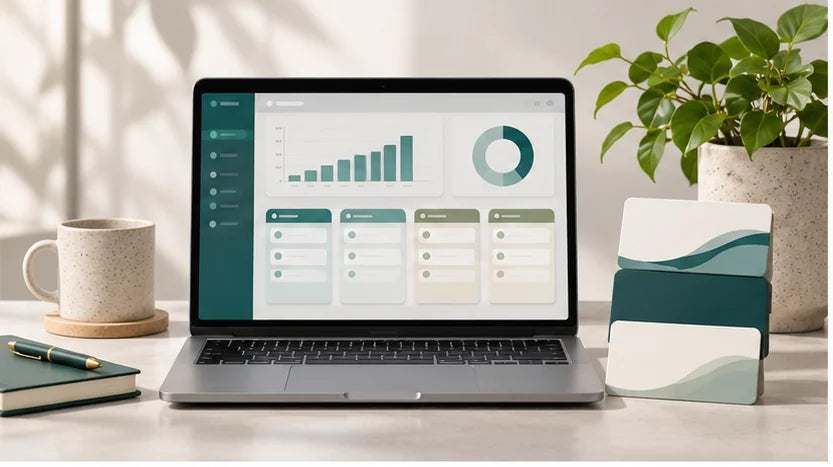
A white label CRM is customer-relationship software that a business can offer under its own brand, provided its purchase or licensing agreement allows that use. To rebrand and resell it responsibly, verify resale rights, decide how each client will access the system, test data separation, price ongoing support, and run a small paid pilot. A branded login page is not proof that the software is ready for multiple paying customers.
What This Means for You
You can start a CRM-focused software business without developing every screen from scratch. But there are two separate purchases to evaluate: the software asset or licence, and the operating capability needed to deliver it reliably. A $99 or $199 starter application may reduce your initial build work, while a hosted reseller platform may reduce maintenance. Neither automatically supplies customers, revenue, compliant handling of client data, or unlimited technical support.
This guide is for small agencies, solo founders, consultants and software buyers considering a CRM for contractors, recruiters, coaches or local service firms. It focuses on the work between buying software and selling a working CRM service. For a broader explanation of branding existing products, see Shopify's white-label guide.
What White-Label CRM Software Actually Is
A CRM records information about leads and customer relationships. Depending on the product, it may track contacts, pipeline stages, quotations, tasks, appointment reminders, communications, service history or team assignments. White-labeling changes how the buyer experiences the product: your name, domain, colors and commercial offer can replace the original vendor's visible branding where the underlying rights and technology permit.
There is no universal feature set. A lightweight contact manager is not automatically a full sales CRM, project-management system, helpdesk or field-dispatch platform. A CRM that manages one user's clients may not support a separate account for each company that buys your service. Likewise, being able to edit its screens does not prove that you can operate a subscription business with tenant isolation, automated billing or user permissions.
Before purchasing, write down the problem you intend to solve. For a design agency, a pipeline and proposal tracker may be enough. A small contractor might need estimate follow-ups and job-status notes. A recruiter may need distinct candidate and employer records. Buy for one verifiable workflow instead of selecting the longest feature list.

Choose the Resale Rights Before You Rebrand
One of the most expensive mistakes in CRM resale is confusing product access with intellectual-property ownership. A monthly reseller licence, a perpetual commercial licence and an assignment of source-code rights are different arrangements. The contract, not the marketing headline, decides what you can do.
| Model | What you normally control | Questions to ask |
|---|---|---|
| Hosted reseller licence | Branding, pricing and access within the provider's rules | Can you use a custom domain? Are subaccounts allowed? What happens if the vendor closes your account? |
| White-label code licence | Deployment or customization rights expressly granted by the licence | May you clone it for multiple customers, modify it, sublicense it and transfer installations? |
| Assigned source-code asset | The code and rights actually transferred under the sale documents | Are all components owned or correctly licensed? Do you receive the repository, infrastructure, documentation and third-party licence inventory? |
Ask the supplier for the exact wording on commercial use, resale limits, derivative works, client redistribution, updates, termination, source-code access and transferability. Confirm whether the agreement is an assignment of rights or only a permission to use the application. Do not promise clients full ownership of the underlying code unless the contract allows you to transfer it.
Investigate external dependencies too. An application might use commercial icons, a hosted database, an AI API, email sending, SMS or an open-source package with obligations. Flippa's SaaS due-diligence guidance specifically calls for reviewing code health, licences, infrastructure and ongoing costs. These checks apply even when the project itself is inexpensive.
Rebrand the Experience, Not Just the Logo
A professional CRM resale product should feel consistent throughout the customer's journey. Begin with a brand name you can use lawfully, a domain you control and a clear promise for a defined niche. Then inspect every customer-facing touchpoint: login screen, browser title, favicon, navigation, invitation email, password reset, notification template, support address, invoice and subscription page.
Separate the visible brand from the technical identity. You may be able to change the application's title while the original vendor remains visible in email headers, generated file links or account recovery messages. Test those paths using an ordinary user account rather than judging the administrator's demo alone.
Use this sequence: first record the original configuration and create a backup; next change the visual identity; then connect the approved domain and HTTPS; finally run an account invitation, password reset, test lead creation and notification round-trip. If a change breaks a core workflow, restore the prior state before accepting more customization. Accessibility, mobile layouts and readable contrast matter as much as the logo.
Where EcomChief's software purchase inclusions apply to a particular listing, review those specific handover and customization promises. Verify the actual product edition before treating a site-wide description as a guarantee for every application.

Keep Client Workspaces and Customer Records Separate
If you intend to sell one CRM to multiple unrelated companies, decide whether each receives a separate deployed copy or an isolated tenant inside one shared application. These are technical architectures, not simply pricing-plan names. A system that only has a single admin login may require development before it can safely serve independent businesses.
Separate deployments may provide simpler organizational boundaries, but introduce more hosting instances, upgrades, backups and maintenance. Shared multi-tenant architecture may centralize updates, but demands strict authorization, tenant-scoped database queries, secure file storage, access controls and reliable offboarding. Neither approach is universally cheaper or safer; the implementation and workload determine that.
The OWASP multi-tenant security guidance emphasizes enforcing authorization based on a verified tenant identity and preventing cross-tenant access through databases, caches, storage and other shared resources. Simply hiding another client's name in the menu is not adequate isolation.
Run a practical test with two fictional companies, Alpha Plumbing and Beta Electrical. Create different administrators, staff users, contacts and attachments for each. Confirm that an Alpha user cannot find, open, change, export or search for Beta's data, even by modifying a record identifier or API request. Test invitations, password resets, role changes, deleted users, exports and backups. Do not use actual customer records for these tests.
Have an appropriately qualified developer review access controls and data-handling obligations before taking real client information. Also define which party is responsible for privacy notices, data retention, incident handling, data exports and customer-requested deletion. These obligations vary by jurisdiction and contract; a software purchase does not resolve them automatically.
Package One Specific CRM Offer
A generic pitch such as “CRM for every business” forces you to compete with established platforms on every feature. A stronger first offer describes one buyer and one repeatable outcome. For example, a small home-service contractor may want to capture inquiries, track quotation follow-ups and remind staff which customers need a callback. A boutique recruitment firm may want to manage employer conversations and placement milestones. Those are different products from a sales and support perspective even if they use some of the same code.
Choose one industry, conduct several discovery conversations, and configure only the fields, stages and messages that its buyers genuinely need. Define an entry package containing a working CRM, a bounded number of users, initial setup, one training session and stated support terms. List integrations and advanced customizations separately rather than including “unlimited everything” in the entry price.
Your service agreement should explain who owns imported client data, whether clients can export it, what happens on cancellation, who pays for third-party integrations and how change requests are priced. The EcomChief SaaS client onboarding checklist expands the practical handover and acceptance process without confusing it with CRM software ownership rights.
If you want to evaluate software foundations rather than commissioning a custom application, compare EcomChief's ready-made software assets. Check each listing's demo, delivery terms, source-code rights and operating requirements before choosing one to adapt.

Price Your CRM Using Unit Economics
White-label CRM pricing should begin with the expenses of delivering one more customer, not with a competitor's headline subscription. Separate upfront implementation work from recurring costs. Track hosting or vendor licence, database and storage usage, email or SMS credits, payment processing, backup tooling, support time, maintenance, account management and any paid integrations.
Consider a hypothetical small-business package priced at $99 per customer per month. Assume $25 in allocated hosting or provider charges, $20 for expected support labor, $10 in other tools and $4 in payment fees. That leaves $40 per month in contribution per active customer before shared overhead, taxes, sales acquisition, software development and unexpected incidents. These amounts are illustrative assumptions, not EcomChief performance, a vendor quote or an industry benchmark.
If that customer also pays a one-time $299 implementation fee, do not count the entire fee as profit. Deduct the hours spent on configuration, migrations, training and testing. If it takes more labor than the fee covers, the setup is subsidized and you need a credible reason to recover that cost later. Model cancellations too: a customer who leaves after one month contributes less than one who remains, while onboarding work occurs immediately.
Run three planning cases: an efficient customer needing little help, an average customer, and a demanding customer requiring frequent support and extra compute. Estimate the maximum support minutes or storage usage your price can tolerate. For a more detailed method, consult EcomChief's SaaS pricing and break-even guide. Do not advertise guaranteed passive income or a fixed margin that ignores your real costs.
Pilot the Handover and Support Process
Before buying five CRM assets or launching a large advertising campaign, test one narrow offer with a real business that understands it is a pilot. The aim is to determine whether the software solves a recurring problem and whether you can support it profitably. A functioning demo proves something technical; a paid renewal proves something commercial.
- Choose the workflow. Write down the customer's job to be done and the three tasks the CRM must complete.
- Verify rights. Save the commercial licence or transfer agreement and identify restrictions on client resale.
- Test a realistic dataset. Create sample leads, notes, tasks and statuses; verify the core process on desktop and mobile.
- Review tenant isolation. Test administrator, employee and unrelated-company access, including exports and deleted records.
- Prepare delivery. Document the branded domain, user invitations, password reset, backups, escalation route and cancellation procedure.
- Set a written scope. Specify the initial configuration, monthly charges, support hours, expected integrations and excluded custom work.
- Run one paid pilot. Measure setup labor, support requests, actual usage, failed workflows and whether the buyer would renew at your proposed price.
- Decide with evidence. Expand only after the critical workflows, rights, security checks and unit economics meet your standards.
One customer's enthusiasm is not market validation. Ask what they used each week, which tasks moved outside spreadsheets, which features went untouched and why they would keep paying. If the customer continually demands custom development to achieve the basic promise, you may have chosen the wrong product or too broad a niche.
The EcomChief 12-Point CRM Resale Readiness Scorecard
Use this original buyer and operator checklist before putting a CRM into paid service. Score each line Pass, Needs Work or Fail; retain a screenshot, contract section or test record as evidence. It is an operational decision framework, not a legal or security certification.
- Commercial rights: the licence or transfer documents permit the exact rebranding and resale model.
- Code and dependencies: ownership, third-party licences, deployment keys and repository access are documented where relevant.
- Product scope: the CRM completes the three most important workflows for the selected niche.
- Brand consistency: domain, login, emails, navigation, exports and help route reflect the promised brand.
- Tenant boundaries: unrelated companies cannot access or modify each other's records.
- Staff permissions: a user cannot perform unauthorized admin actions or view restricted client information.
- Data recovery: backup, restore and export processes are tested, not merely mentioned.
- Client ownership: contracts identify who controls customer data and what can be exported at cancellation.
- Operating costs: monthly vendor, cloud, message, storage and payment costs are recorded.
- Support capacity: response channels, expected support minutes and escalation responsibilities are defined.
- Buyer acceptance: a real pilot customer can complete the agreed workflow and sign off on delivery.
- Economic viability: contribution remains acceptable under a conservative support and churn scenario.
Set a hard stop for any failure involving resale authority, tenant security, data recovery or a core workflow. A missing optional dashboard chart may be a minor issue; a client seeing another company's leads is not. For incomplete but recoverable items, name the responsible person and retest date rather than treating the checklist as a promotional badge.
Final Decision: License, Own or Walk Away
A white label CRM can be a sensible starting point if you understand the rights, can deliver a specific useful workflow and can maintain it without exposing client records or losing money on support. Choose a hosted reseller model when vendor-operated infrastructure and clear licence terms fit your plan. Consider a transferable source-code asset when customization and ownership matter enough to justify operating responsibilities. Walk away from any offer that cannot explain its resale rights, access controls or true ongoing costs.
Your next move is not to buy the biggest software bundle. Select one niche, run the scorecard, inspect a live demo and test a small customer deployment. Browse EcomChief's ready-made software businesses to compare potential starting assets, then verify each specific listing's inclusions and client-resale permissions before purchasing. A starter app is an asset to build a business around, not an established business with guaranteed traffic, customers or recurring revenue.
Related reading
All articles


Free Online Business Calculators
Estimate costs, profits, ROI, affiliate earnings, and business value before you spend money.