

BuyingGuide
Digital Business Card Apps: Features, Privacy and a White-Label Resale Checklist
A practical checklist for comparing digital business card apps: QR and NFC sharing, vCard export, team controls, privacy, accessibility, analytics and white-label ownership.
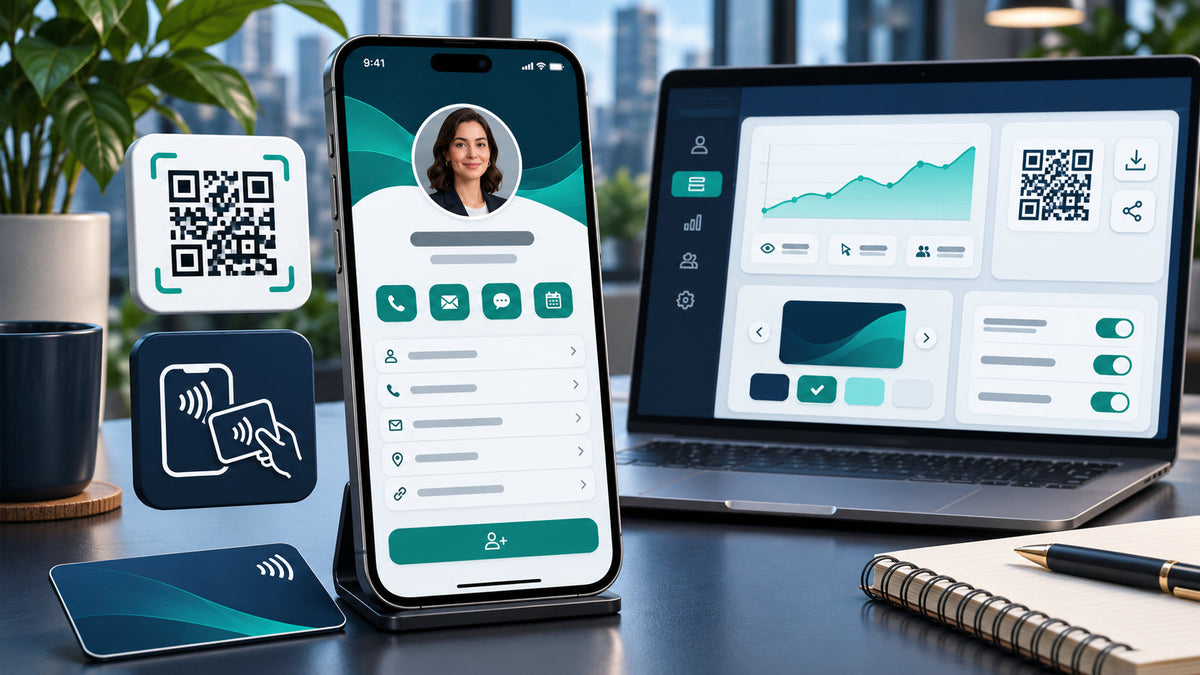
A digital business card app should do more than display a name and phone number. It needs to make sharing reliable, saving contact details easy, brand changes manageable and personal data controllable. For teams and resellers, admin permissions, exports, analytics and account ownership matter just as much as the public card design.
This guide explains how to evaluate digital business card software for everyday use or a white-label resale model without assuming that every QR code, NFC feature or analytics claim works the same way.
What This Means for You
Choose the operating model before choosing the app. A solo consultant may need one polished profile and dependable contact saving. A sales team may need centralized templates, role-based access, CRM handoff and offboarding. A reseller needs clear branding rights, tenant controls, deployment ownership and a support process.
Write the real workflow from profile creation to contact export. Then test each step on the phones, browsers and business processes your users actually rely on.
What a Digital Business Card App Actually Does
A digital business card usually combines a hosted profile page with one or more sharing methods. The recipient may scan a QR code, tap an NFC-enabled item, follow a link or receive the profile through messaging. From there, the person can view contact details, open social or business links and save information to an address book.
Contact download is commonly built around vCard. The IETF’s RFC 6350 defines the vCard format for exchanging structured contact information such as names, addresses, email addresses, phone numbers and images. Software buyers should test the generated file on multiple devices instead of assuming that every field maps correctly.

Map the Sharing Workflow End to End
- Create a profile using required and optional fields.
- Apply the correct brand template and account permissions.
- Share through QR, NFC, link, email signature or wallet pass where supported.
- Open the card without forcing an unnecessary app installation.
- Save the contact and verify that fields land correctly.
- Submit a lead form only with clear notice and consent.
- Send approved data to the CRM or export it in a usable format.
- Update or deactivate the profile when the person changes roles.
Run this workflow on current iOS and Android devices, at least two browsers and a slow network. If NFC is part of the offer, test the physical tag or card separately from the hosted profile. NFC is a sharing trigger, not the contact record itself.
Core Features to Verify
| Capability | What to test | Why it matters |
|---|---|---|
| Profile editor | Required fields, image handling, preview and change history | Reduces broken or incomplete cards |
| QR sharing | Scan speed, contrast, print size and destination control | Supports events, packaging and printed materials |
| NFC sharing | Supported devices, tap location and fallback link | Avoids a poor first interaction |
| vCard export | Name, company, title, phones, email and Unicode characters | Determines whether the contact saves cleanly |
| Admin controls | Templates, roles, bulk edits, deactivation and export | Keeps team data and branding consistent |
| Integrations | Exact fields, trigger timing, duplicate handling and error logs | Prevents silent CRM failures |
QR Codes, NFC and Links Are Not Interchangeable
A QR code can be displayed on a screen or printed at low cost, but it needs sufficient size and contrast and should point to a domain you control or trust. An NFC product can feel faster, but device support, reader position and the physical item introduce more variables. A plain link remains an important fallback.
Never make a QR code or NFC tap the only way to reach the card. Display the destination domain where practical and provide a visible link for accessibility and security. CISA describes phishing as the use of deceptive messages or websites to solicit information or distribute malicious software; treat every redirect and third-party domain in the sharing path as a security dependency.
Brand Control and Team Administration
For a team, brand control should extend beyond colors and a logo. Check custom domains, reusable templates, locked fields, required disclaimers, role permissions, account recovery, bulk import, audit history and employee offboarding. A departing employee’s card should be transferable, redirectable or removable without losing ownership of company data.
For a white-label product, verify which interface elements can be rebranded, who owns the domain and hosting account, whether outbound emails carry third-party branding and what happens to customer accounts if the vendor relationship ends.

Privacy, Security and Data Ownership
A contact profile can contain personal information, while lead forms and analytics may collect information about recipients. Document what is collected, why it is collected, where it is stored, who can access it and how it is deleted. Avoid collecting fields merely because the software allows them.
Ask about encryption, backups, authentication, administrator logs, data retention, subprocessors, incident response and regional storage where relevant. Confirm whether analytics are aggregate or tied to identifiable people. If consent is required in a market or use case, the product must support a clear notice and an auditable choice.
Run an export before buying. You should be able to retrieve profiles, account relationships and approved lead data in a practical format. Data portability is also part of a responsible SaaS client onboarding process.
Accessibility and Mobile Usability
Test the public card and the editor by keyboard, at high zoom, on a narrow screen and with screen-reader labels. Images and icons need meaningful text alternatives; form inputs need labels and understandable errors. The current W3C reference is WCAG 2.2.
Do not rely on color alone for actions or status. Make the QR destination and important links available as text. Check focus order, contrast, tap-target size and the readability of saved contact details.
Analytics and CRM Integrations
Define each metric before using it. A page view is not necessarily a unique person, a QR scan is not necessarily a saved contact, and a button tap is not a qualified lead. Ask how repeat activity, bots and privacy settings affect reports.
For CRM integration, map source fields to destination fields and test missing values, duplicates, retries and revocation. Confirm whether the integration is native, uses an automation provider or depends on a custom API. Keep a manual export path for recovery.
A 12-Point Buyer and Reseller Scorecard
- Profiles load quickly without requiring an app.
- QR sharing works on screen and in representative print sizes.
- NFC sharing has a tested link fallback.
- vCard files save the correct fields across target devices.
- Templates and locked fields protect brand consistency.
- Roles separate owner, admin and user permissions.
- Offboarding preserves company ownership of profiles and data.
- Privacy notice, consent and deletion workflows are documented.
- Analytics definitions are clear and not overstated.
- CRM integrations pass an end-to-end error test.
- Profiles and leads can be exported in usable formats.
- Branding, license, hosting and support responsibilities are written.

Run a 14-Day Pilot
Create profiles for an owner, administrator and ordinary user. Share each card by every supported method, edit the company template, submit a test lead, trigger the CRM integration, export the data and deactivate one user. Log every manual step and failure.
Score the platform against the same checklist used for alternatives. Give extra weight to broken contact saving, weak access control, privacy gaps and missing exports. Cosmetic preferences should not outweigh reliable ownership and operation.
Mid-guide next step: If you want a rebrandable starting product, review EcomChief’s Digital Business Card App – White-Label SaaS for Sale. Confirm the current package, deployment responsibilities and included capabilities against the scorecard before purchase.
What to Verify Before Reselling the App
White-label rights do not automatically include source code, lifetime hosting, every third-party service or unrestricted resale. Read the license and asset list. Confirm domain control, deployment access, payment accounts, email delivery, analytics, support, update obligations and the process for moving customer data.
Decide who handles onboarding, content moderation, privacy requests, failed integrations and billing disputes. EcomChief’s guide to starting a white-label SaaS business covers the broader model, while the SaaS pricing strategy guide can help test packages without making revenue guarantees.
Final Decision
The best digital business card app is the one that shares reliably, saves accurate contact data, respects privacy and remains manageable when a team grows or a user leaves. For resellers, ownership and support boundaries are part of the product.
Ready to compare an owned option? Review the current digital business card app package, then run the 12-point scorecard and pilot before launch.
Related reading
All articles


Free Online Business Calculators
Estimate costs, profits, ROI, affiliate earnings, and business value before you spend money.